Browser extension
Short links, without leaving the page
Click once and the page you are on becomes a short link on your own domain. Copy it, share it, or grab the QR code.
Free with your FixedLink account. No extra charge, and the source is public.
Here is the whole thing, in the order it happens. In real time it takes about five seconds.
Start on the page you are already on
Open the extension on the tab in front of you. It reads that one address and nothing else.
Pick which of your domains the link should live on, or leave the default where it is.
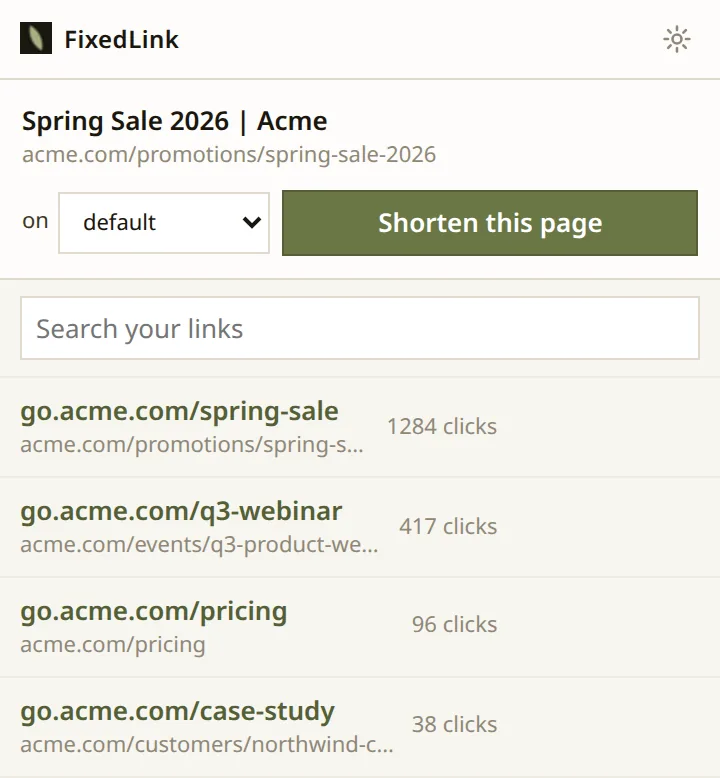
Press the button
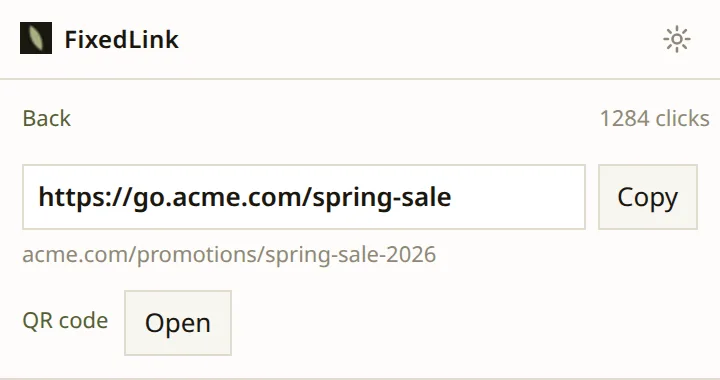
The link exists. It is on the screen and selected, ready to paste wherever the long one was going.
Open it to check where it lands, or send it through the browser’s own share sheet. The click count starts here and keeps going.
Take the code with you
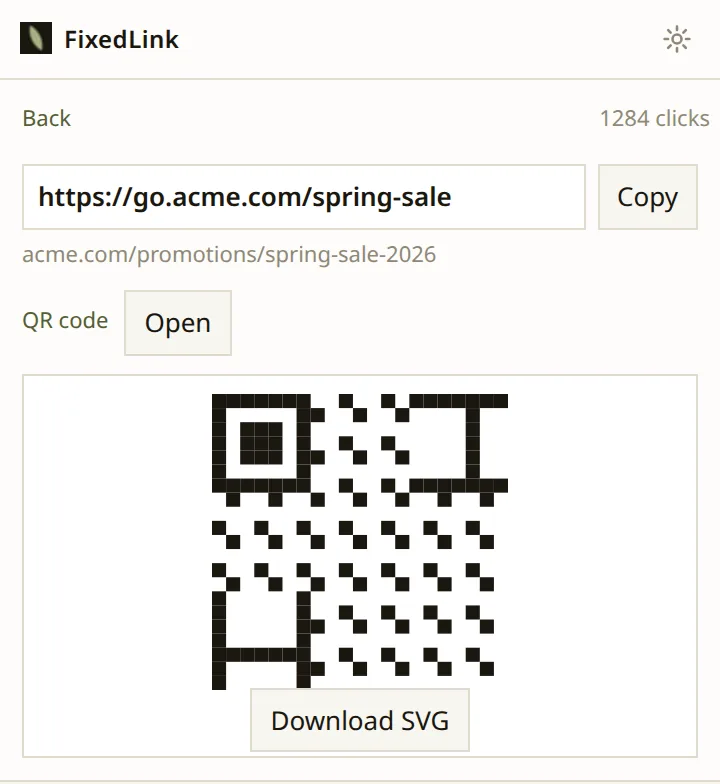
Every link has a QR code. Open the panel and it is drawn, encoding the short link rather than the destination.
Download it as an SVG so it holds up on a poster or a business card. Move the link next month and the printed code still works.
Find it again a week later
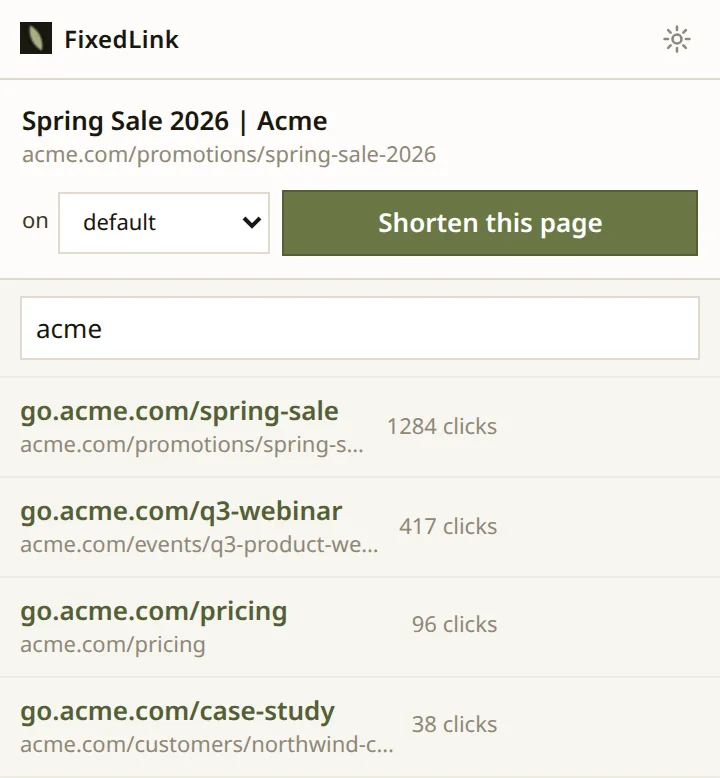
Everything you have made is in the popup with its clicks, so you can see how something is doing without opening the dashboard.
Search by slug, or by where the link points.
While you write
Shorten a link where you are already typing
Paste a long URL into Gmail, Outlook, X or LinkedIn and a small button appears next to it. Click it and the link gets shorter, in place.
Pasting is what triggers it, not typing. Nothing watches the keys you press, and the button only ever appears next to a URL you put there yourself.
There is no picture of this one. It happens inside somebody else’s compose window, and a mocked-up screenshot of Gmail would be the only image on this site that is not a photograph of the product.
Why shorten
Because you can change your mind afterwards
A short link is the only kind you can repoint once it has been sent. The campaign ships, the landing page moves, and the link in the email still works.
A normal URL cannot do that. That is the whole reason to make one.
Open source
Read it yourself
The extension is open source under the MPL. The build in the store is made from the tree you can go and read right now.
It has to be. Anything that offers to shorten a link while you are typing needs to read the page you are typing into, and those pages are your mail. There is no way to make that trustworthy by describing it.
What it reads is the address of the tab you are on, and only when you ask. Your sign-in stays on your machine and never enters a page. There is no analytics in it and no third party of any kind.
Get it
Add it to your browser
You need a FixedLink account on a plan with API access. Sign in from the extension and approve it once.